Select the stocked relic
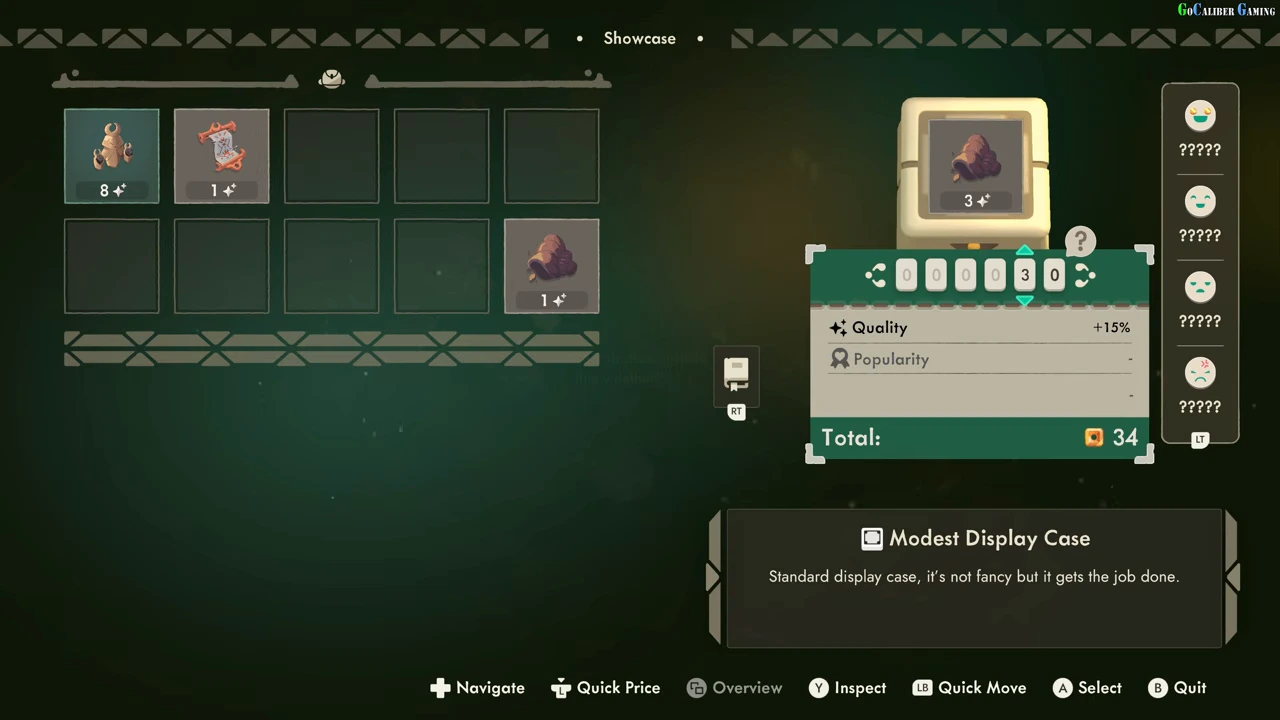
Interact with the intended display case to open Showcase. The backpack is on the left and the selected case on the right. Use the displayed Select or Quick Move control to place the intended relic, then focus its price digits. The recorded controller prompts include A Select, LB Quick Move and B Quit; use the labels shown for your input device.
Read the whole price panel
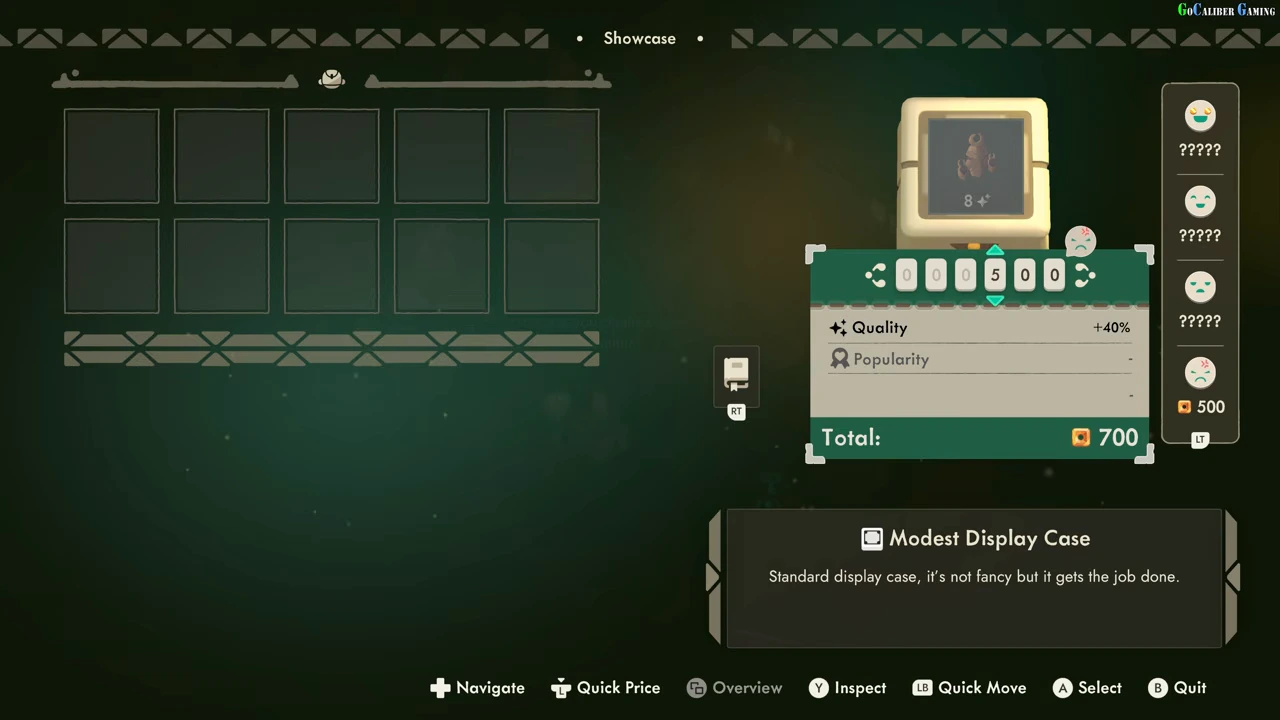
At base price 30, the illustrated relic has Quality +15% and shows Total 34. Another observed relic has base price 500, Quality +40% and Total 700. Read the actual total rather than treating the base digits as the customer’s full price. The first example does not establish a general rounding rule.
| Field | What it tells you |
|---|---|
| Price digits | The entered base price |
| Quality | The selected relic’s displayed percentage modifier |
| Popularity | A separate field; no active value is shown in these examples |
| Total | The amount displayed after the shown modifiers |
Revise a rejected offer
The second example records 500 beside an angry face while Total reads 700. The player lowers prices after negative reactions and later completes sales. That demonstrates the adjustment workflow; it does not prove a highest possible selling price or a shared value for every relic.
Save what you learned in the codex
The tutorial identifies Relic Codex as the place to check learned selling prices. It can be reached from the Codex tab or the shortcut in the display panel. Revisit the same relic’s record when restocking. A row still showing question marks is not a zero-price instruction.