Read the condition and the target together
Select The Song of Welcome and read its tooltip. The condition is Corner; the stated effect gives Armor and adds 4 Quality to relics in the same row. Those are two different parts of the instruction: the placing condition and the receiving positions. Before confirming, check that the relics you want to improve occupy that row rather than a different column.
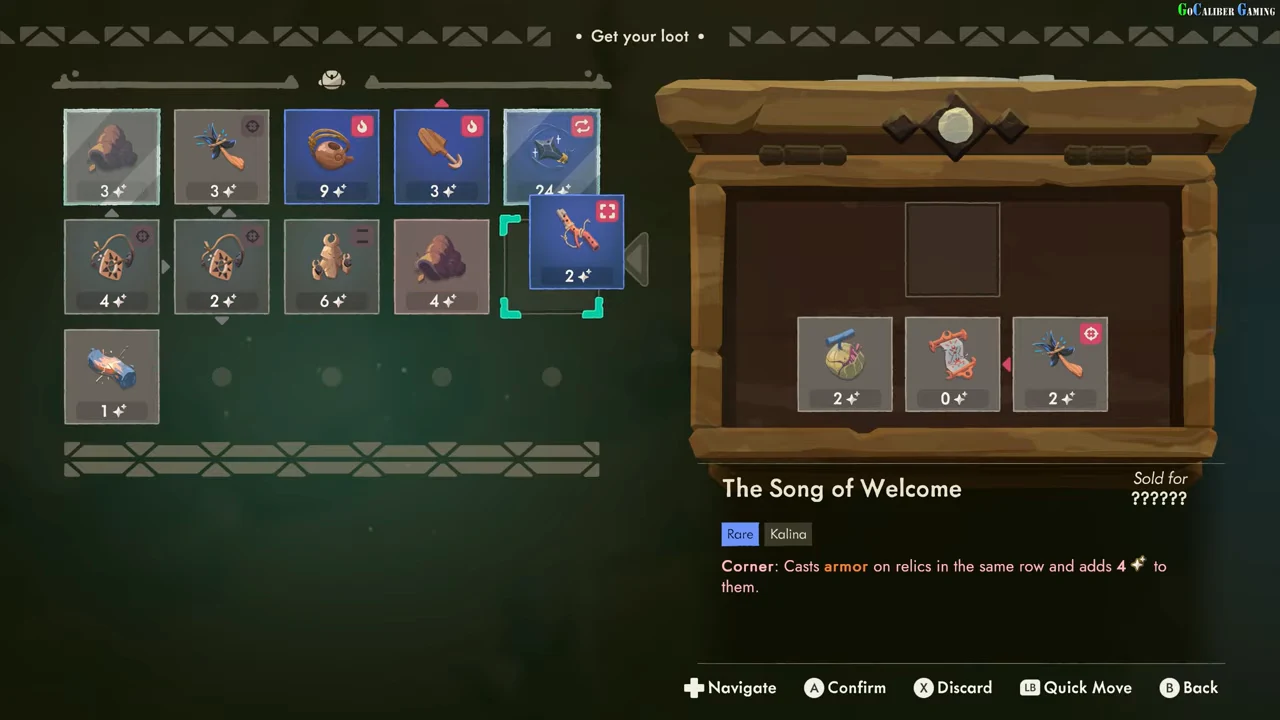
Confirm the placement and inspect the receiving row
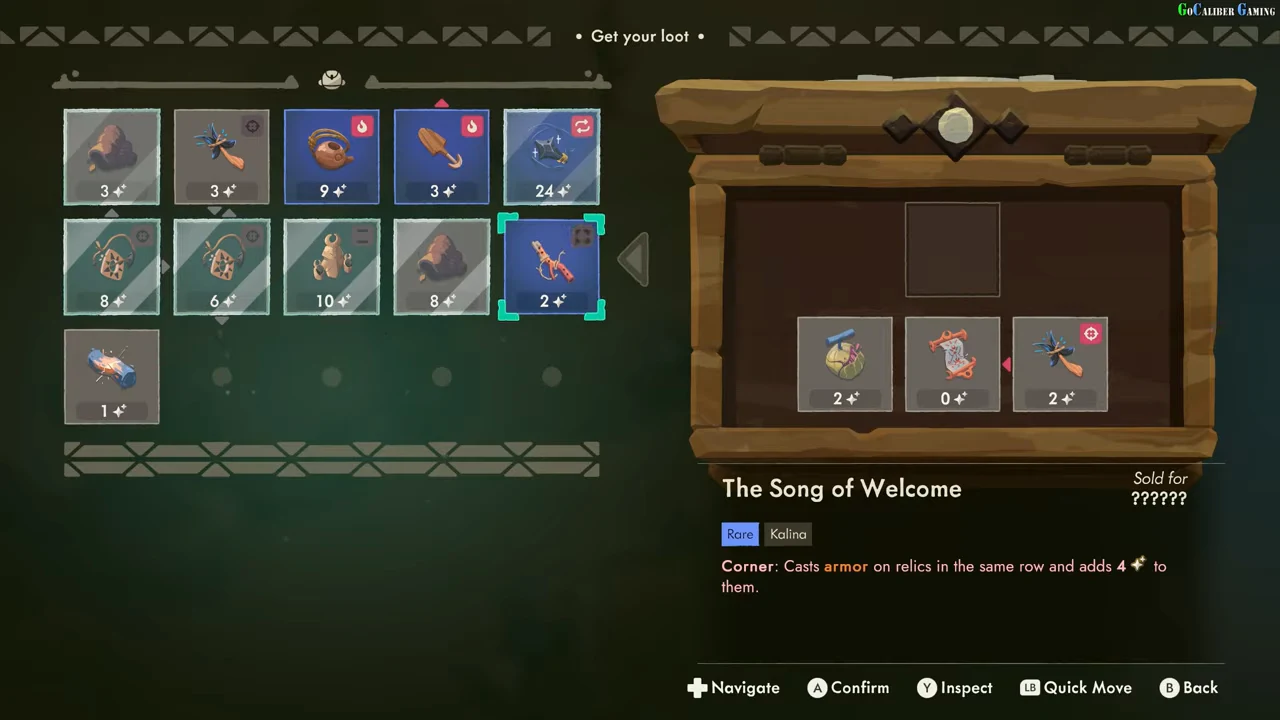
Confirm the demonstrated corner placement and wait for the grid to settle. The four other relics in that row then show Quality 8, 6, 10 and 8, with diagonal Armor markings. Each receiving value increased by 4. The Song itself remains Quality 2 in this sequence, so do not add 4 to its displayed value when checking the result.
- Read the Corner condition and same-row target.
- Check the receiving relics and their current Quality.
- Place and confirm The Song of Welcome in the qualifying position.
- Compare the receiving Quality values and Armor markings afterward.
| Receiving position, left to right | Before | After | Change |
|---|---|---|---|
| First relic | 4 | 8 | +4 |
| Second relic | 2 | 6 | +4 |
| Third relic | 6 | 10 | +4 |
| Fourth relic | 4 | 8 | +4 |
| The Song of Welcome | 2 | 2 | 0 in this sequence |
Re-read the tooltip when changing to another relic
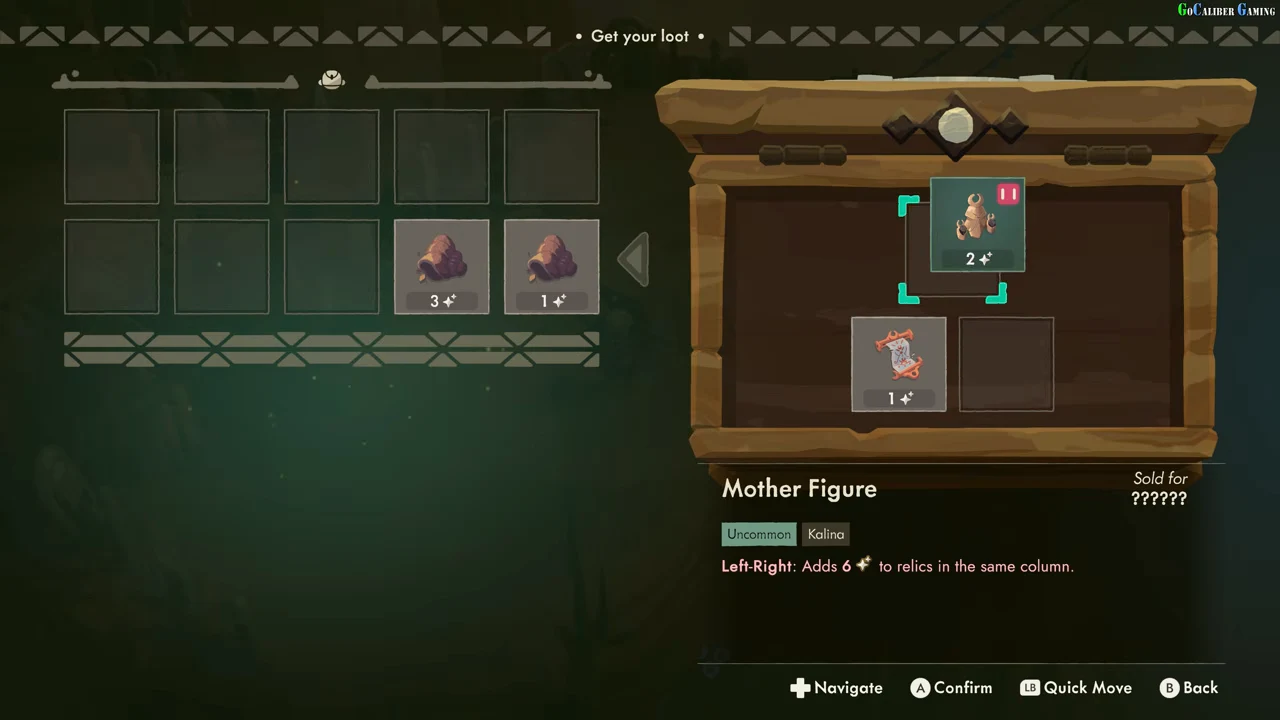
Mother Figure uses a different label: Left-Right. Its tooltip describes adding 6 Quality to relics in the same column. Do not carry The Song of Welcome’s same-row rule across to it. In the earlier recording, Mother Figure is selected over its chest position on the right with Quality 2 before the player places it in the backpack.
Check what actually changed in that placement
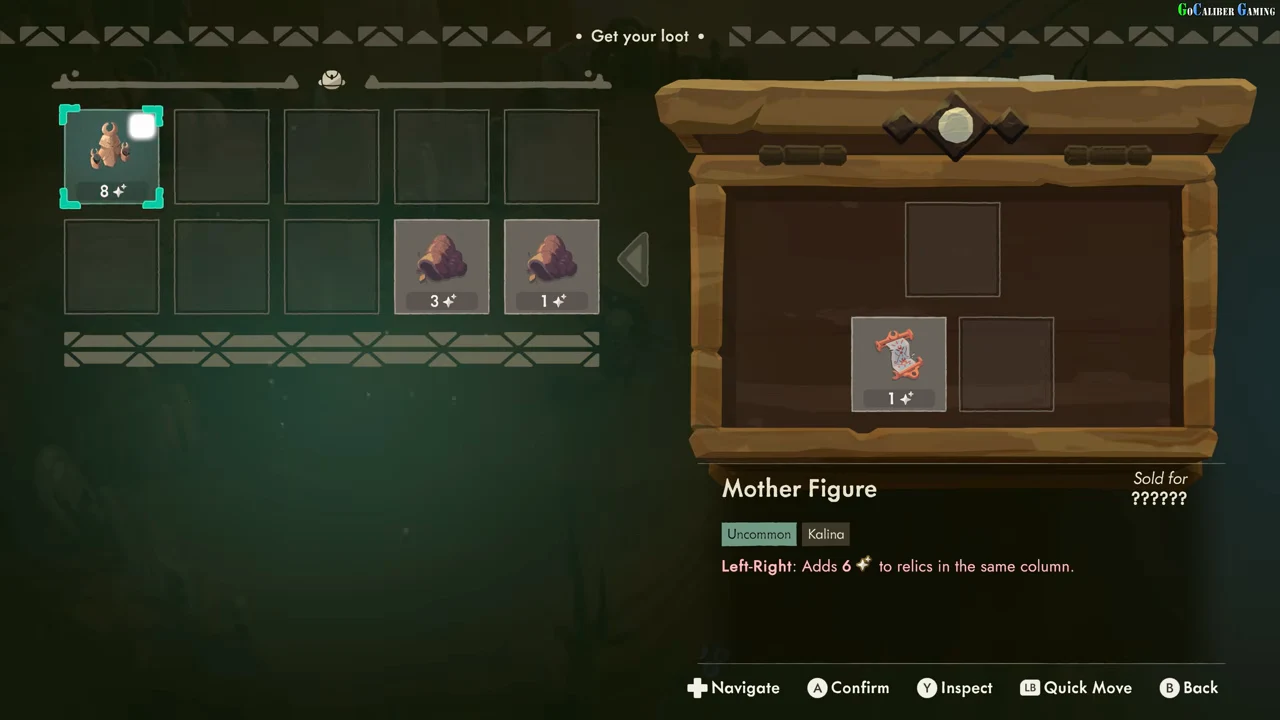
After confirmation, Mother Figure occupies the upper-left backpack cell, its former chest position is empty and its own Quality reads 8. The two carried Silence Shell values remain 3 and 1 in the bottom row. This demonstrates the recorded 2→8 change on Mother Figure and the completed transfer. It does not test a fully occupied receiving column or establish a universal rule that every effect includes its source relic.
Troubleshoot a preview that does not become the intended result
First confirm that you placed the relic rather than leaving it lifted over a cell. Then re-read that relic’s condition and receiving direction; the row example and column example above use different rules. Compare the relevant values before and after your confirmed action. If an intended receiving item is absent or outside the stated target area, rearrange deliberately before repeating an action with an irreversible effect.
Keep protection and repeatability separate
The Song example shows Armor markings appearing. Neither pair of frames demonstrates an armored relic surviving a later burn or a repeated move producing unlimited Quality. Treat protection behavior, repeat triggers and other named effects as separate questions until their own action-and-result sequence is available. These examples show how to read and verify two placements; they do not form a complete relic-effect database.