Use the recorded version as a boundary
The recording was published on November 19, 2025 and uses Spanish menus. It is an Early Access-era equipment example, not a demonstration of the later Infinite Vault weapon additions. The source description links the exact Moonlighter 2 Steam game.
Use the examples below to compare the actual tooltip in your installed build. English class names are orientation labels here; the Spanish item names are retained so you can match each pictured selection. This page does not promise that every pictured weapon is already unlocked in your save.
Compare the trigger that the weapon rewards
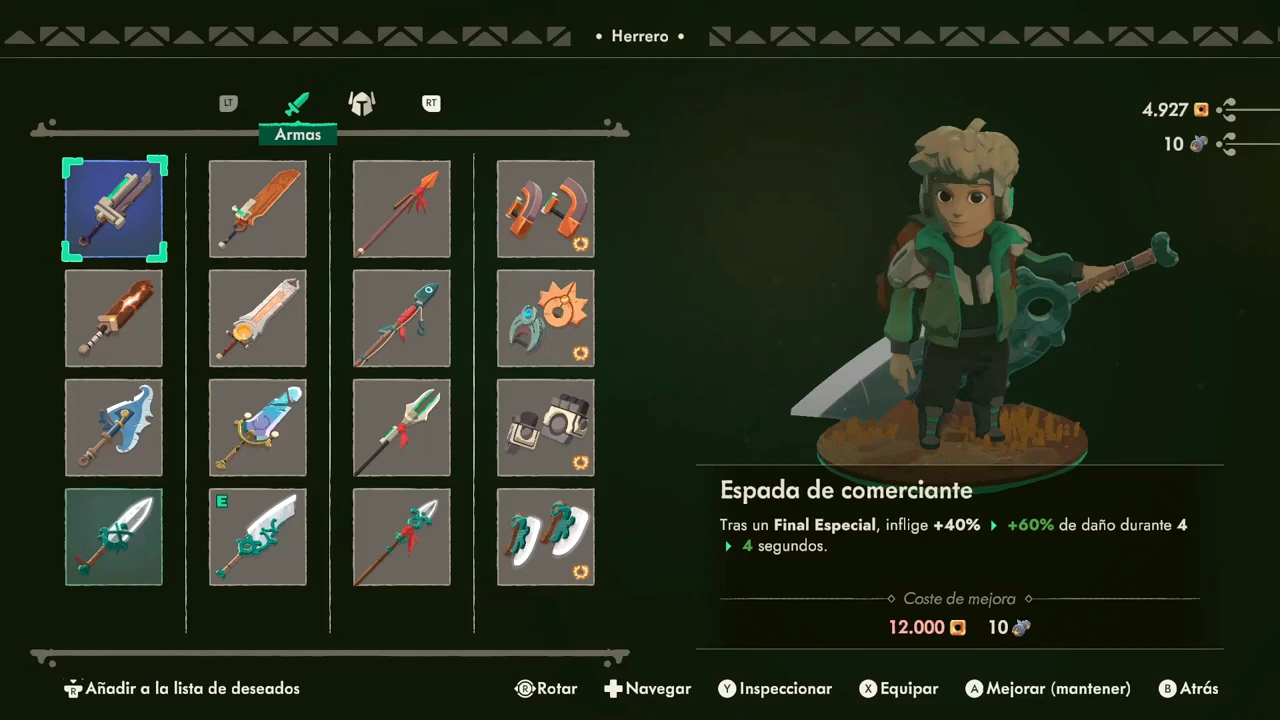
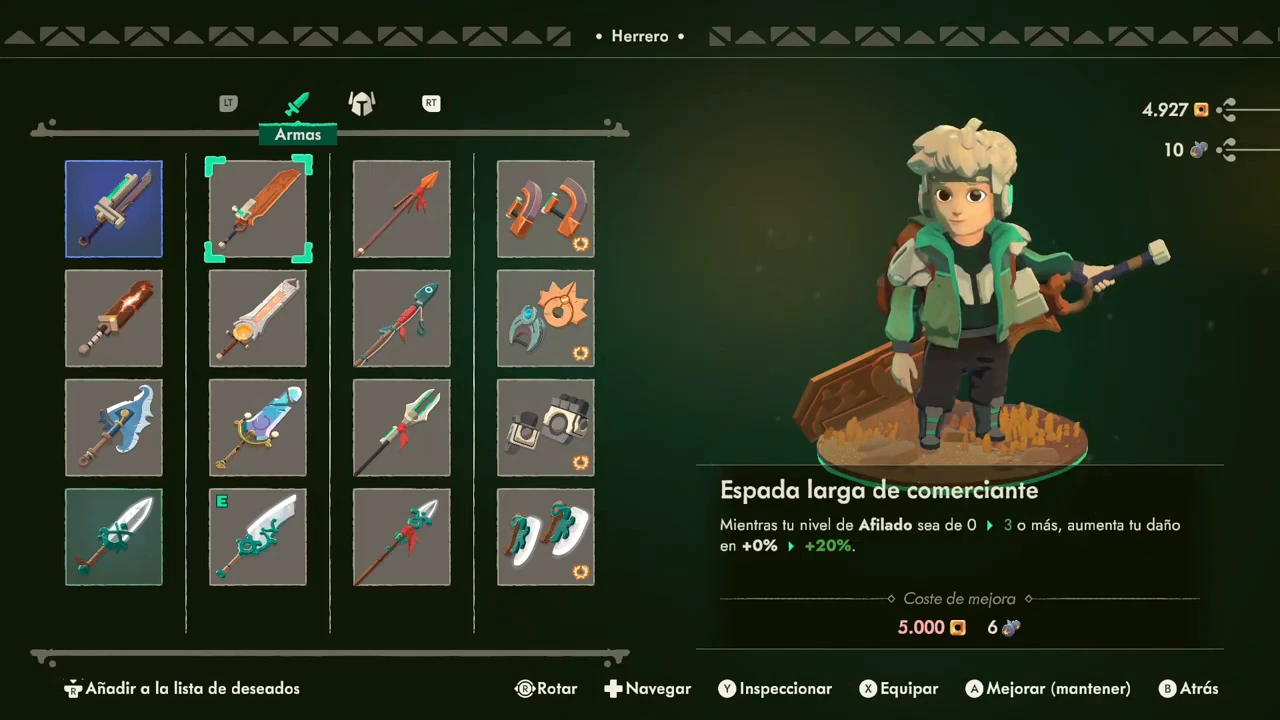
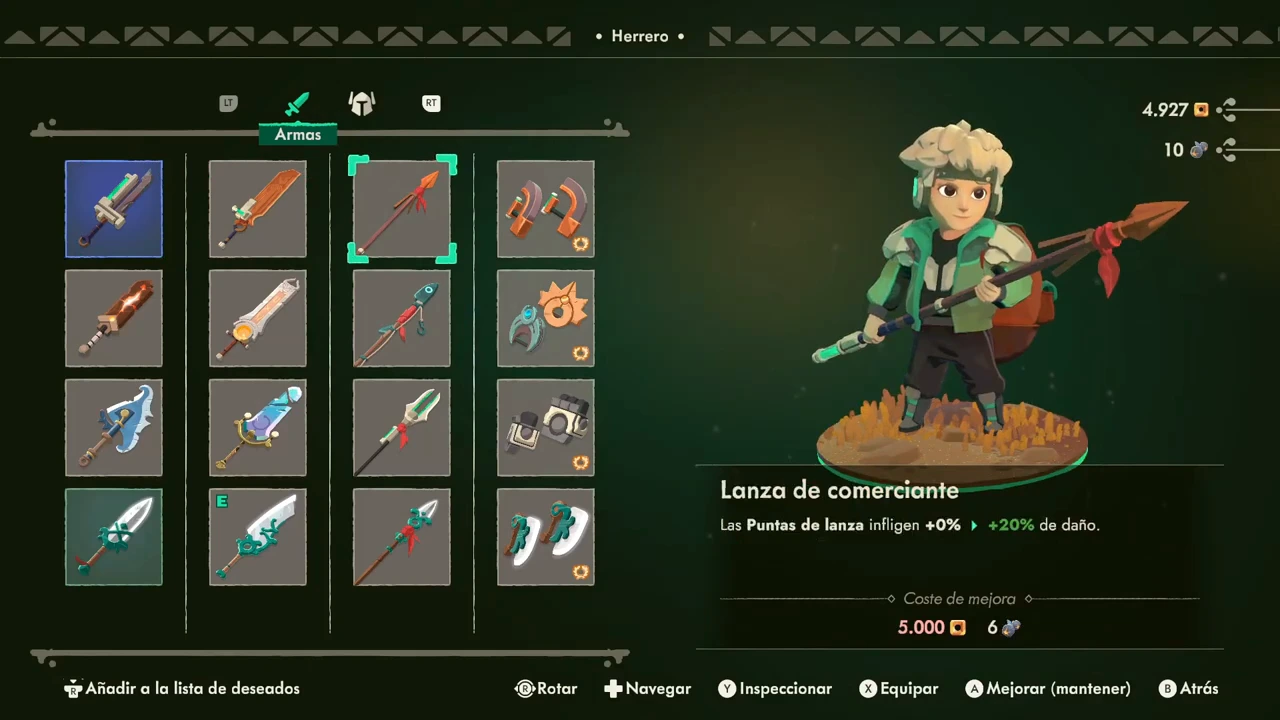
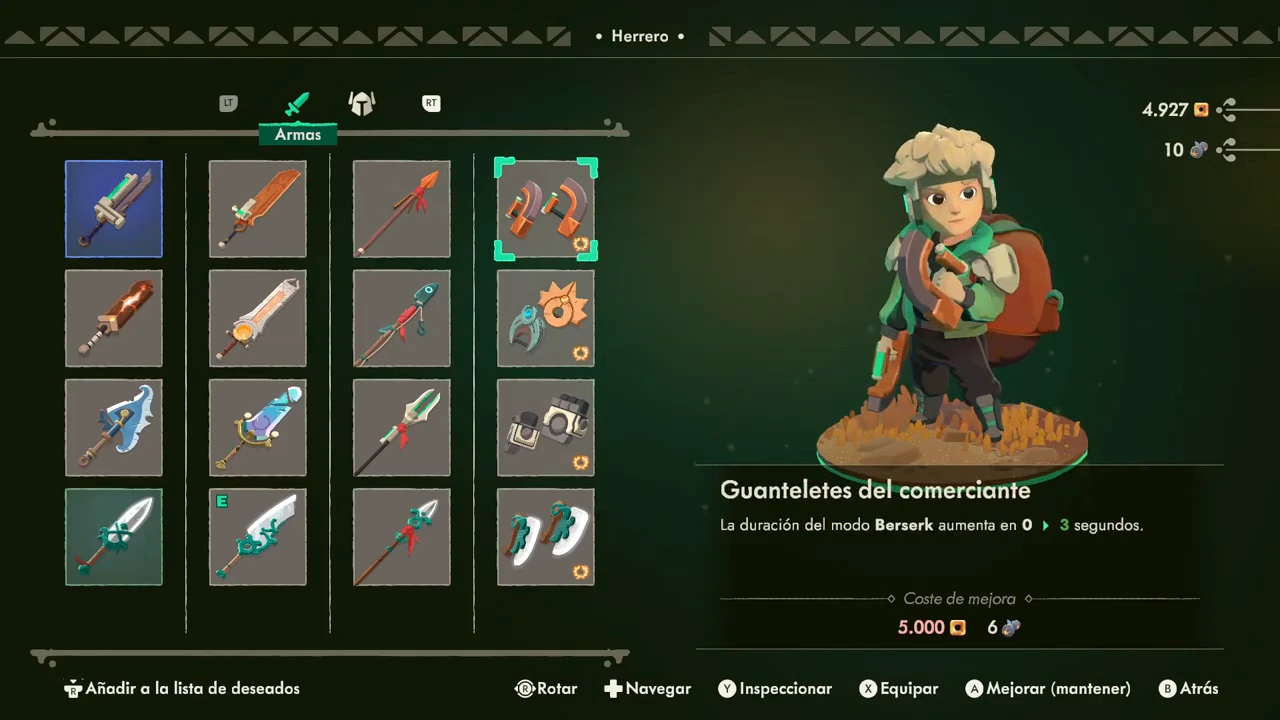
The blacksmith screen is labelled Herrero and its weapon tab Armas. Four visible columns contain sword, large-sword, spear and gauntlet examples. Each selected item has its own effect description; a class label alone does not supply the effect of every weapon in that column.
| Weapon family | Pictured item name | What the displayed effect concerns |
|---|---|---|
| Short sword | Espada de comerciante | Temporary damage after a special finisher |
| Great sword | Espada larga de comerciante | A damage condition involving Sharpness |
| Spear | Lanza de comerciante | Damage from spearheads |
| Gauntlets | Guanteletes del comerciante | Duration of Berserk |
Read the upgrade preview separately
The large-sword panel shows Afilado in its condition and uses arrows between existing and proposed values. Coste de mejora is the upgrade-cost line. This screen also offers Equip separately from the held Upgrade action.
The selected example shows a 5,000 gold upgrade cost while the wallet is 4,927: the player is 73 gold short. Its material requirement is also separate. This is an upgrade preview, not evidence that the purchase succeeded or that 5,000 gold is the price of every weapon.
Keep spear damage and Berserk duration distinct
The spear panel specifically names Puntas de lanza. That describes spearhead damage; it does not say that every attack gains the displayed modifier.
Choose a condition you intend to use
The gauntlet panel specifically names the duration of Berserk. That has a different unit and condition from the sword’s temporary damage effect.
As a comparison method, first choose which condition you want to practise. Then test the actual selected weapon: a tooltip tied to an action you seldom use is a reason to try another candidate, not proof that its entire class is weak.
Open the weapon chest and distinguish highlight from equipment
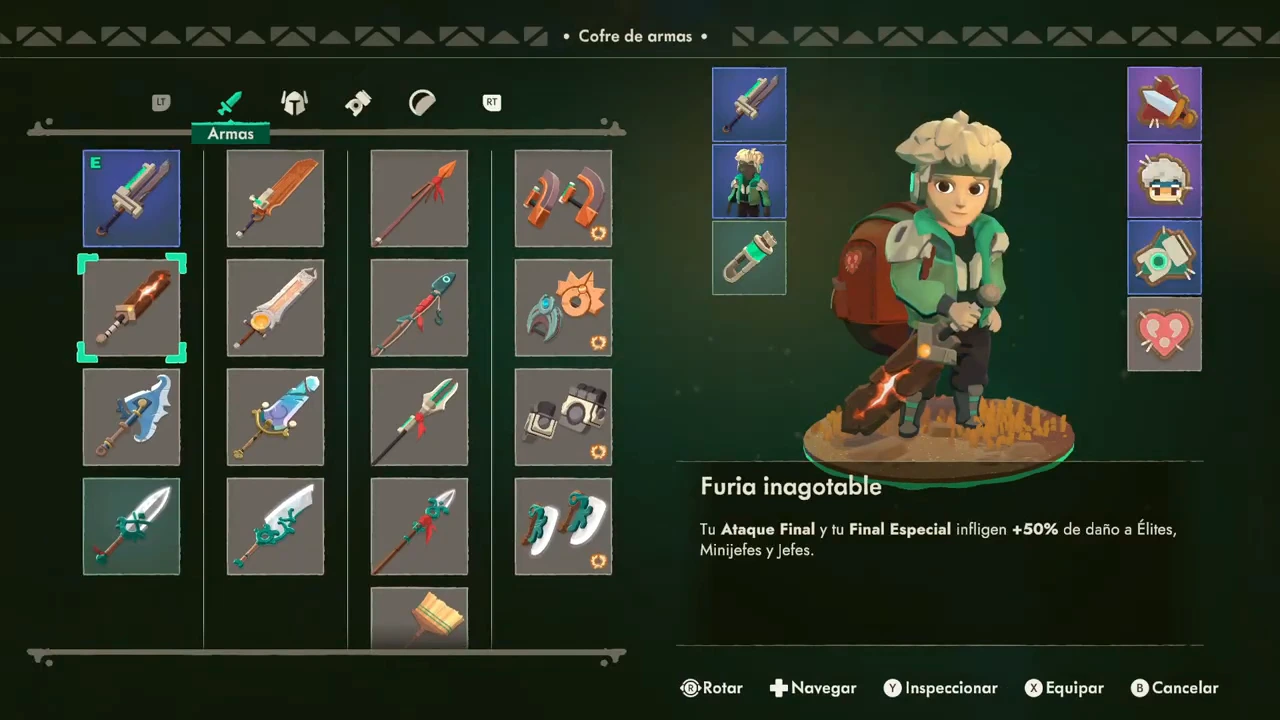
Beside the training platform, the interactable chest is labelled Cofre de armas. Open it and select Armas. The recording highlights Furia inagotable, an orange sword, while the equipped slot still shows Espada de comerciante and the E marker remains on that earlier sword.
The character model already previews the highlighted orange sword. Do not use that preview alone to conclude that the weapon has been equipped.
Equip and verify the changed slot
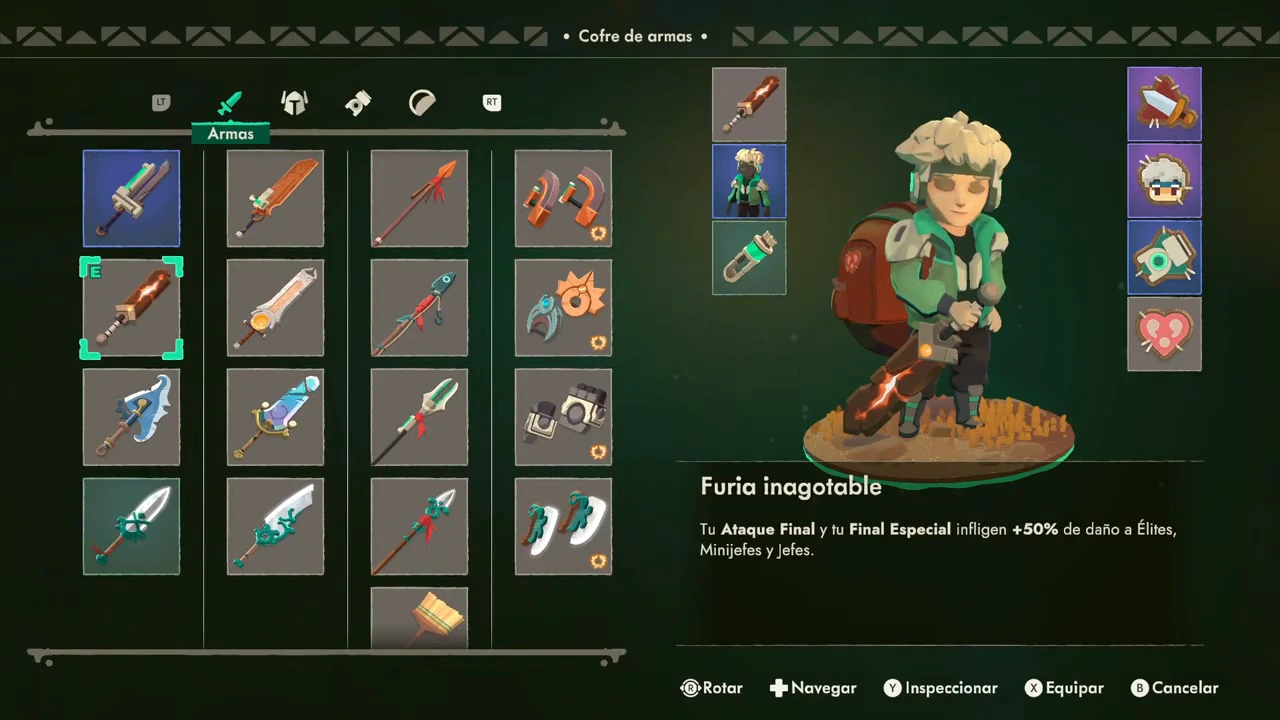
Use Equipar, shown as X in this controller recording. The E marker then moves onto Furia inagotable and the equipped slot changes to its orange icon. Leave the menu using the displayed Cancel control.
- Open the chest beside the training platform.
- Highlight the intended owned weapon in Armas.
- Read its effect and use the displayed Equip control.
- Check the E marker and equipped-slot icon.
- Close the menu and return to the dummy.
Try the equipped weapon before choosing your next run
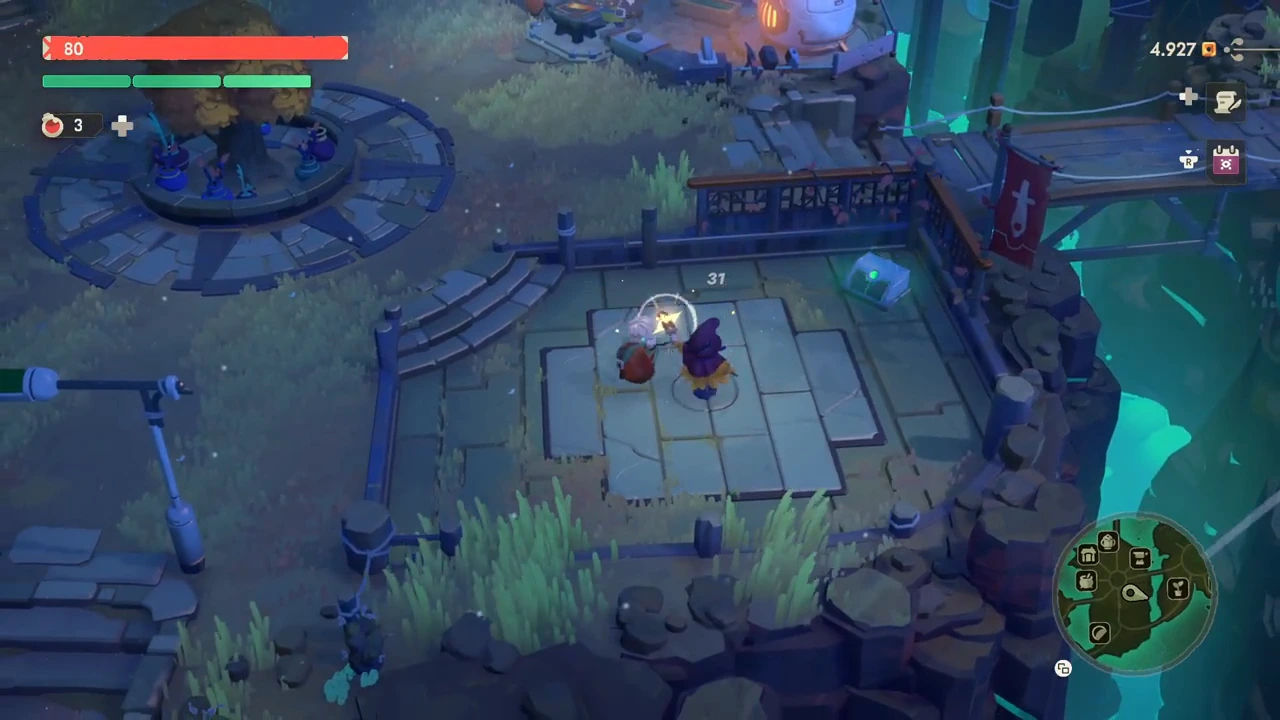
The recording returns to the platform and strikes the purple dummy after the swap. The earlier sword was also used against that dummy before the chest reopened, so the footage provides a concrete place to try an equipment change.
For your own comparison, keep the target, attack sequence and other equipment the same, then change one weapon. Record whether you can reliably perform the tooltip’s condition and recover to move away. Repeat before treating one hit number as a result.
This sequence establishes reading, equipping and using an owned weapon. It does not isolate damage per second, prove a trigger against every enemy, or show how all recipes are acquired. A dummy hit does not by itself test a bonus restricted to elites or bosses.