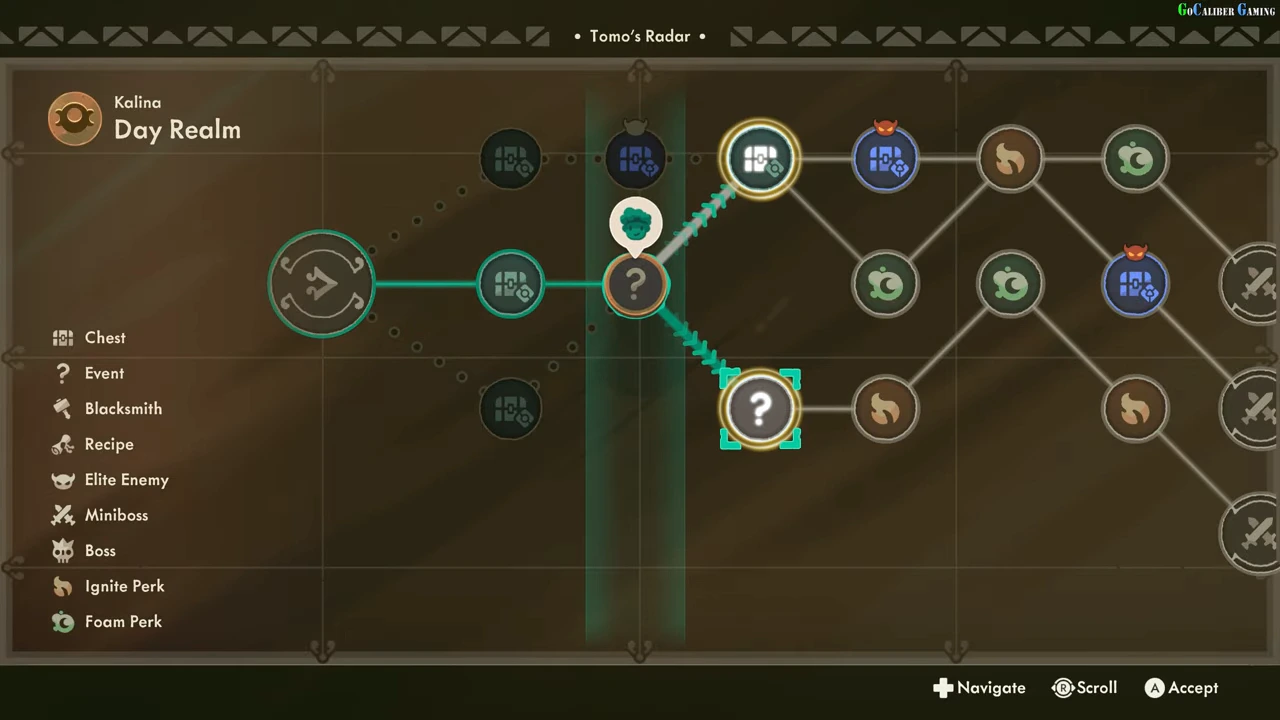
Locate the current position
Tomo’s Radar shows the route and a face marker over the current node. The illustrated Day Realm screen places that marker on a chest node and highlights the connected question-mark node ahead. Read the marker rather than assuming the leftmost visible node is still your position.
Use the legend before choosing
The visible legend distinguishes Chest, Event, Blacksmith, Recipe, Elite Enemy, Miniboss, Boss, Ignite Perk and Foam Perk. A question mark is labelled Event; it is not a promise of a specific reward or a combat-free room. Compare the connected choices with the resource or perk you want next.
| Visible marker | How to read it |
|---|---|
| Face above a node | Your current position in the shown route |
| Question mark | Event |
| Chest symbol | Chest node; other overlays can distinguish the encounter |
| Flame or green foam symbol | Named perk type in this route’s legend |
Select and confirm the branch
Move the highlight to a connected next node and use Accept; the recording shows controller A. The player’s event choice leads to an encounter with a perk selection. These observations demonstrate one branch transition, not the contents of every question-mark node.
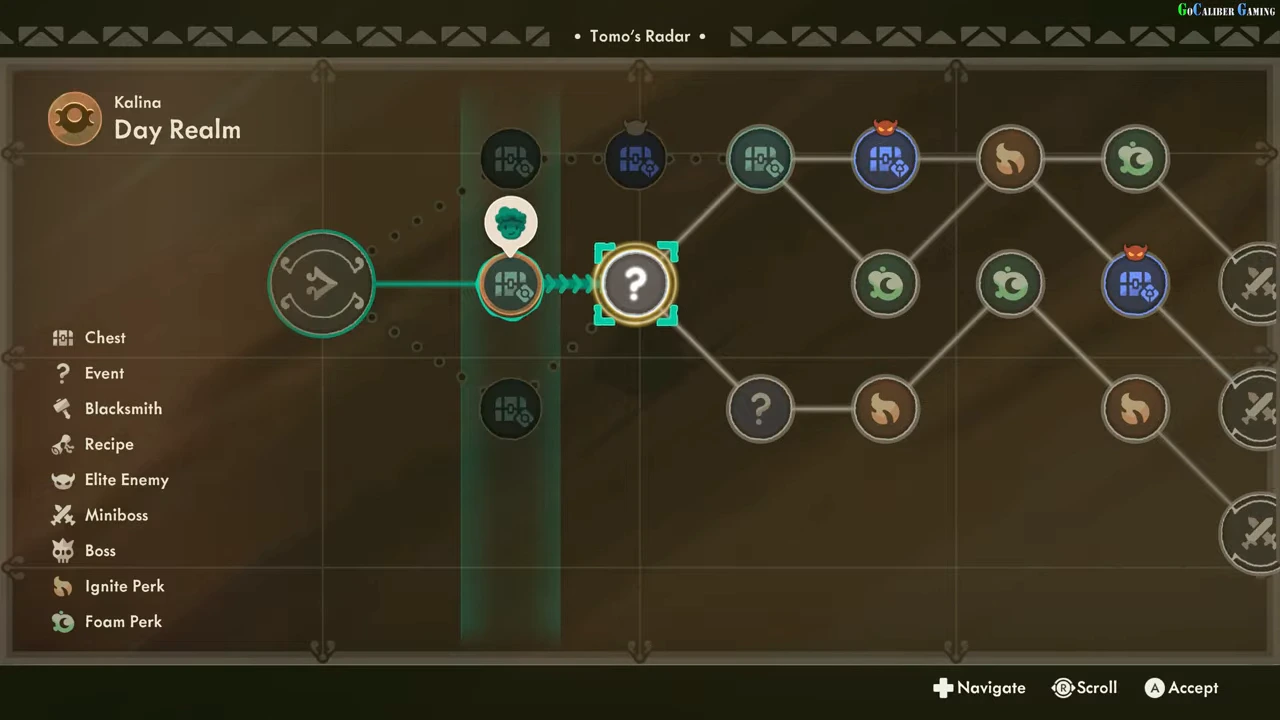
Check the route after the encounter
The next Radar screen places the face marker over the event node and offers new connected choices ahead. Confirm that change before planning another move. Later branches and enemies depend on the route shown in your run; this guide does not prescribe an exact repeated map for every entry.